AI Text Classifier: Categorize Legal Texts Instantly
Build an AI bot that reads any legal text and classifies it by practice area — tax, banking, or beyond. Configurable, no-code, and ready in minutes with e!
The amazing AI Classifier Bot can analyze any text and determine if it relates to tax or banking law – a real time-saver!
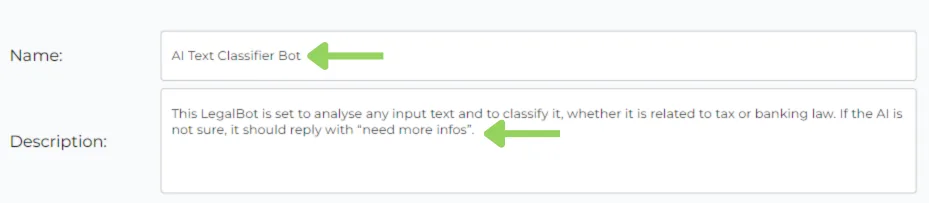
Step 1: Naming Your Champion
First things first, give your bot a name that reflects its purpose. Then, craft a short description – just for your reference – to remind yourself of its specific function.
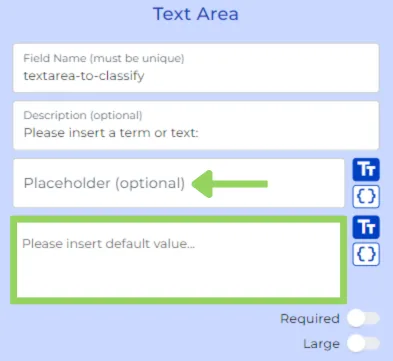
Step 2: The Textual Arena
Now, let’s create the user interface. Add a “text area” node and give it a clear label explaining what the user should type there. This is where they’ll paste the text, they want the bot to analyze.
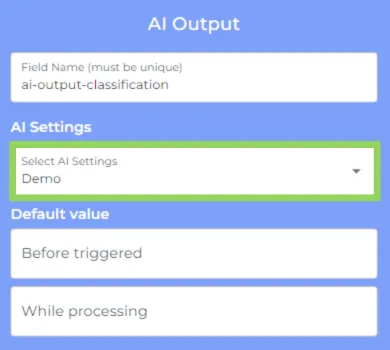
Step 3: The AI Powerhouse
Next, we bring in the muscle – the “AI Output” node. Choose your preferred AI settings, but for this example, we’ll leave the default values untouched.
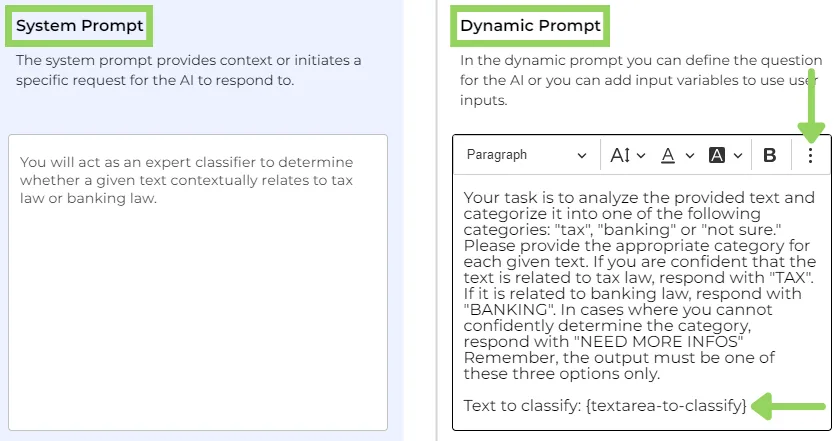
Here comes the magic: the prompt! In the “system prompt,” we’ll define the context. Think of it as setting the scene for the AI. Then, in the “dynamic prompt,” we’ll craft the question we want the AI to answer, including any relevant variables.
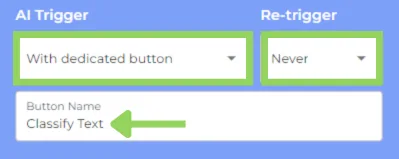
Finally, let’s decide when the AI gets to work. We’ll choose a dedicated button to trigger it, and to avoid accidental re-triggering, we’ll choose “never” from the second dropdown. To end up with this node give your button a clear name like “Classify Text” to guide users.
Step 4: Presenting the Results
Now, let’s add a “text field” node to display the AI’s verdict. Just edit this node by selecting the AI variable.

For an extra user-friendly touch, let’s add another “text field” node with a brief explanation of what this bot does and how it can help them.

Step 6: Test Drive Time!
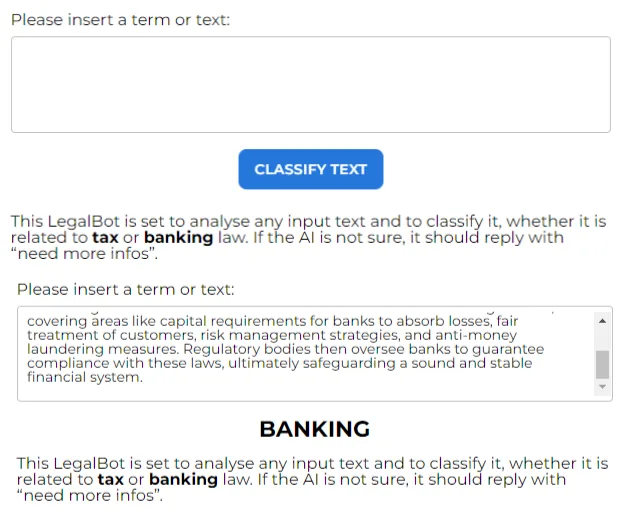
That’s it! You’re ready to hit “preview” and unleash the power of your AI Classifier Bot. Paste in some text, click the “Classify Text” button, and watch the magic happen. The AI will analyze the text and reveal its true legal nature – tax or banking law. If the AI is not sure, it should reply with “need more infos” clear and simple.
Happy automating with e!