Tutorials
Unlock the full potential of e! with our comprehensive video tutorials. Perfect for beginners and experts alike.
How would you like to explore?
Discover What e! Can Do
See what e! can do for your team through practical demo videos.
-
 New
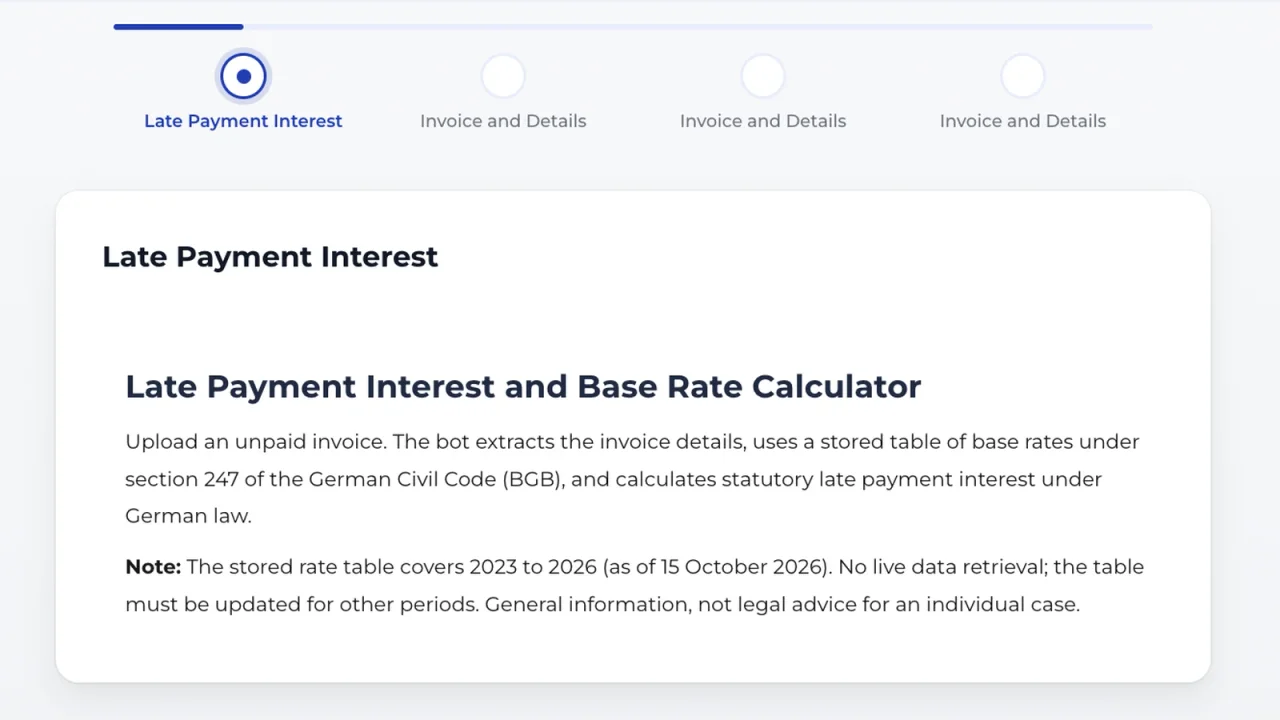
NewCalculate Late Payment Interest: Upload an Invoice, Get a PDF
Upload an invoice, set an end date: the bot calculates German late payment interest under section 288 BGB and returns a traceable PDF breakdown.
-
 New
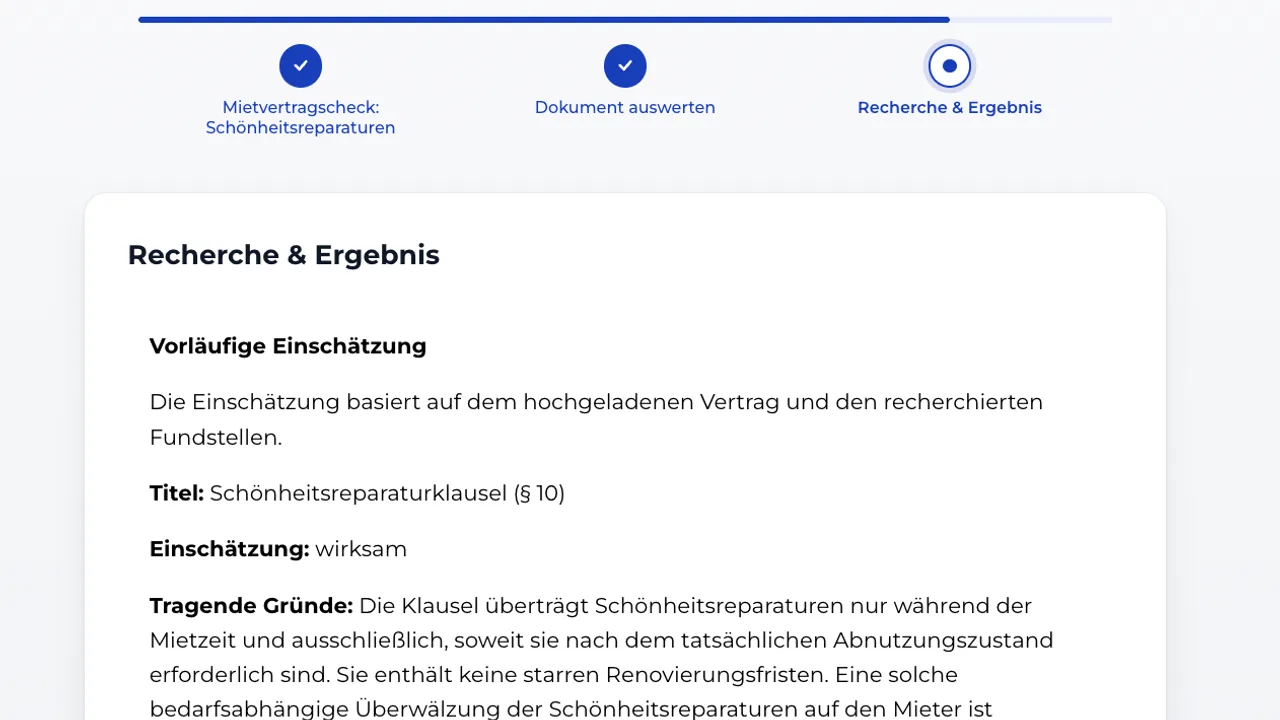
NewCosmetic Repairs Clause Check: Automated Research with AI
This bot reads an uploaded residential lease and pulls out the cosmetic repairs clause word for word. It turns the clause into a search query, searches German Federal Court of Justice (BGH) tenancy case law in the LexGraph knowledge graph and rates the clause clearly as valid or invalid. Every source links straight to the judgment, no manual research required.
-
 New
NewCounter-Research for Pleadings: Extract the Issue, Verify the Case Law, and Draft the Reply with AI
This bot reads an uploaded opposing brief, extracts the legal issue and the cited decision, searches Federal Labour Court case law in the LexGraph knowledge graph, retrieves the cited judgment in full text, and drafts a short legal opinion plus a reply brief, no manual research required.
-
Contract Triage with AI: Classify Incoming Contracts, Route Them, and Flag Risk
This contract triage bot reads an uploaded contract, determines its type, routes it to the right team, and flags its risk level, all from a short intake form and one AI step, no manual sorting required.
-

Plausibility Check with AI: Evaluate an accident description in traffic law context
This traffic law plausibility check compares an accident description against the historical weather at the stated time and place of the accident. It translates the address into coordinates, retrieves the actual weather, and runs a forensic plausibility check - all in the time it used to take just to open a weather archive.
-
Smart Invoice Auditor: No more manual invoice compliance checks
The Smart Invoice Auditor turns an uploaded supplier invoice into a fully documented compliance check. It extracts every relevant field automatically, lets you verify the data before anything gets checked, then validates it against all ten mandatory elements of section 14 of the German VAT Act with a clear traffic-light rating and a downloadable PDF audit report in under two minutes.
-
Civil Law Deadline Calculator: No more manual deadline hassle
The Civil Law Deadline Calculator turns a single event, like the service of a judgment, into a complete, dated list of the deadlines that follow under German civil procedure. It automatically shifts deadlines off weekends and public holidays, adds an advance-notice date for every deadline, and produces a ready-to-file PDF deadline sheet in under a minute.
-
Business Partner Check: Automated Risk Assessment from the Commercial Register
Pulling data from the commercial register and evaluating it by hand is a tedious but necessary step in both law firms and legal departments. The Business Partner Check bot retrieves the relevant data directly from the commercial register, fetches the desired register extracts automatically, and produces a structured AI risk report with a traffic-light rating in under two minutes.
-
Filing of Claims in Insolvency Proceedings: Automated Legal Intake & PDF Generation
Build a bot that guides creditors through the full proof-of-claim process under § 174 f. InsO (German Insolvency Code): it collects all required data, runs an AI-powered legal analysis against the uploaded documents, and generates a ready-to-sign PDF claim letter addressed directly to the insolvency administrator.
-
NDA Document Analysis: Automate Intake, Compliance & Routing
Build an NDA Document Analysis bot that automatically extracts key legal data, runs two compliance checks, routes the file to SharePoint, generates an executive legal memo, emails the responsible lawyer, and optionally books a follow-up meeting, all from a single document upload.
-
AI Agents vs Agentic Workflows: Build Smarter Legal Bots
Manage AI Agents and Knowledge Bases across your org with Lexemo's AI Hub. Learn when to use AI Agents vs. Agentic Workflows for smarter legal automation.
-
Lawlift Integration: Connect Legal Bots via API
Build a Legal Bot that extracts term sheet data with AI, lets users review and edit it, then auto-generates a Lawlift document — step-by-step in Lexemo e!.
-
Money Laundering Threshold: Automate AML Compliance in e!
Build a bot that checks cash transaction thresholds against AML documentation requirements — using Calculation and Logical Condition nodes in e!.
-
AI Contract Comparison: Compare Term & Penalty Clauses
Build an AI bot that compares uploaded contracts against a master template and highlights clause differences instantly. No coding needed.
-
Build a No-Code Sentiment Analysis Bot for Legal Documents
Build an AI bot that scores any text from 1 to 10 and explains the sentiment. Ideal for analysing client emails, contracts, and legal communications.
-
AI Compliance Check Bot: Automate Prohibited Party Screening
Build an AI compliance bot that checks company names against a prohibited trading list in seconds. Perfect for legal and compliance teams — no coding required.
-
Build a Legal Clause Explainer Bot
Build an AI bot that explains any legal clause in plain language — tailored to lawyers, business professionals, or non-legal readers. No coding needed.
-
Ask Your PDF: Build an AI Bot to Query Legal Documents
Build an AI bot that reads any uploaded PDF and answers questions instantly — with source citations including page number and file name. No coding required.
-
Change of Control: Detect & Explain Contract Clauses with AI
Build an AI bot that finds, summarises, and explains change of control clauses with exact page citations. Ideal for M&A, due diligence, and contract review.
-
ESG Policy Drafting Bot: Auto-Generate ESG Policies with AI
Build an AI bot that generates tailored ESG policy drafts from company-specific input. Perfect for legal, compliance, and sustainability teams. No coding.
-
NDA Inbound Analysis with AI: Auto-Check NDAs in e!
Use e! to build an AI bot that reviews inbound NDAs — check term & penalty thresholds and trace every extracted result to its exact document source.
-
NDA Generator with AI Prediction: Smart NDA Automation in e!
Build an AI-powered NDA generator in e! — auto-suggest clauses with AI Prediction, generate DOCX & PDF output, and deliver via email. No coding needed.
-
AI Text Classifier: Categorize Legal Texts Instantly
Build an AI bot that reads any legal text and classifies it by practice area — tax, banking, or beyond. Configurable, no-code, and ready in minutes with e!
-
Risk Analysis Bot: Automate EU AI Act Risk Assessments in e!
Build an AI Act risk analysis bot in e! — score companies across Unacceptable, High, Limited, and Minimal risk tiers using Calculation and Evaluation nodes.
Tutorial Library
Step-by-step video guides for every feature in e!. Filter by category, complexity, or search for what you need.
- New
Calculate Late Payment Interest: Upload an Invoice, Get a PDF
Upload an invoice, set an end date: the bot calculates German late payment interest under section 288 BGB and returns a traceable PDF breakdown.
Demos & Use Cases
- New
Cosmetic Repairs Clause Check: Automated Research with AI
This bot reads an uploaded residential lease and pulls out the cosmetic repairs clause word for word. It turns the clause into a search query, searches German Federal Court of Justice (BGH) tenancy case law in the LexGraph knowledge graph and rates the clause clearly as valid or invalid. Every source links straight to the judgment, no manual research required.
Demos & Use Cases
- New
Counter-Research for Pleadings: Extract the Issue, Verify the Case Law, and Draft the Reply with AI
This bot reads an uploaded opposing brief, extracts the legal issue and the cited decision, searches Federal Labour Court case law in the LexGraph knowledge graph, retrieves the cited judgment in full text, and drafts a short legal opinion plus a reply brief, no manual research required.
Demos & Use Cases
-
Contract Triage with AI: Classify Incoming Contracts, Route Them, and Flag Risk
This contract triage bot reads an uploaded contract, determines its type, routes it to the right team, and flags its risk level, all from a short intake form and one AI step, no manual sorting required.
Demos & Use Cases
-
Plausibility Check with AI: Evaluate an accident description in traffic law context
This traffic law plausibility check compares an accident description against the historical weather at the stated time and place of the accident. It translates the address into coordinates, retrieves the actual weather, and runs a forensic plausibility check - all in the time it used to take just to open a weather archive.
Demos & Use Cases
-
Bot Scheduler: Run Legal Bots Automatically in e!
Learn how to schedule an e! bot to run on its own, no user input required, and how admins can monitor every scheduled bot from a single dashboard.
Dashboard & Navigation
-
Smart Invoice Auditor: No more manual invoice compliance checks
The Smart Invoice Auditor turns an uploaded supplier invoice into a fully documented compliance check. It extracts every relevant field automatically, lets you verify the data before anything gets checked, then validates it against all ten mandatory elements of section 14 of the German VAT Act with a clear traffic-light rating and a downloadable PDF audit report in under two minutes.
Demos & Use Cases
-
Civil Law Deadline Calculator: No more manual deadline hassle
The Civil Law Deadline Calculator turns a single event, like the service of a judgment, into a complete, dated list of the deadlines that follow under German civil procedure. It automatically shifts deadlines off weekends and public holidays, adds an advance-notice date for every deadline, and produces a ready-to-file PDF deadline sheet in under a minute.
Demos & Use Cases
-
Business Partner Check: Automated Risk Assessment from the Commercial Register
Pulling data from the commercial register and evaluating it by hand is a tedious but necessary step in both law firms and legal departments. The Business Partner Check bot retrieves the relevant data directly from the commercial register, fetches the desired register extracts automatically, and produces a structured AI risk report with a traffic-light rating in under two minutes.
Demos & Use Cases
-
Filing of Claims in Insolvency Proceedings: Automated Legal Intake & PDF Generation
Build a bot that guides creditors through the full proof-of-claim process under § 174 f. InsO (German Insolvency Code): it collects all required data, runs an AI-powered legal analysis against the uploaded documents, and generates a ready-to-sign PDF claim letter addressed directly to the insolvency administrator.
Demos & Use Cases
-
NDA Document Analysis: Automate Intake, Compliance & Routing
Build an NDA Document Analysis bot that automatically extracts key legal data, runs two compliance checks, routes the file to SharePoint, generates an executive legal memo, emails the responsible lawyer, and optionally books a follow-up meeting, all from a single document upload.
Demos & Use Cases
-
Getting Started with e!: No-Code Legal Bot Canvas Guide
Start building your first Legal Bot in e! — learn how to add nodes, navigate the canvas, check for errors, and chat with Ella, your built-in AI assistant.
Canvas & Getting Started
-

e! Canvas Tutorial: No-Code Legal Automation Workspace
Discover the redesigned e! Canvas — a modern no-code workspace for building and managing Legal Bots with smart filters, clear navigation, and pinnable menus.
Canvas & Getting Started
-
AI Agents vs Agentic Workflows: Build Smarter Legal Bots
Manage AI Agents and Knowledge Bases across your org with Lexemo's AI Hub. Learn when to use AI Agents vs. Agentic Workflows for smarter legal automation.
Demos & Use Cases
-
Lawlift Integration: Connect Legal Bots via API
Build a Legal Bot that extracts term sheet data with AI, lets users review and edit it, then auto-generates a Lawlift document — step-by-step in Lexemo e!.
Demos & Use Cases
-
How to Use the Debugger to Inspect & Fix Legal Bot Data Flow
Use the Debugger in e! to inspect real-time data flow, troubleshoot AI outputs, and extract JSON for Variable Mapper setup — all inside the preview area.
Logic & Conditions
-
MultiProcess in e!: Bulk Legal Document Processing Explained
Use e! MultiProcess to process multiple legal documents at once — run bulk NDA reviews, compliance checks, or contract screenings with a single published bot.
Logic & Conditions
-
Cut, Copy & Paste Nodes: Manage Legal Bot Workflows Faster
Cut, copy, paste, and delete nodes within or across bots in e! — including copying single or all branches of a logical condition tree. Build faster.
Canvas & Getting Started
-
AI Data Extraction: Pull Key Data from Legal Documents
Build an AI-powered bot that automatically extracts key data from uploaded legal documents. Review, edit, and display results — no coding required.
AI Features
-
Structure Node: Build Multi-Column Legal Forms in Lexemo e!
Build multi-column legal input forms in e! with the Structure Node — configure up to 3 columns with custom titles, separators, and mixed input types.
Text & Structure
-
How to Use the Source Node to Trace AI Outputs in Lexemo e!
Add the Source Node in e! to display the exact document source behind every AI result — with clickable chunks, cosine similarity scores, and full traceability.
Text & Structure
-
Microsoft Graph API: Save Legal Docs to SharePoint with e!
Learn how to use Microsoft Graph API in e! to auto-save generated NDAs as PDF and DOCX to SharePoint and populate Excel with contract data — no code needed.
Integrations & API
-
How to Add an API Connector to Your Legal Bot Account
Add and configure an API Connector in e! — set up provider, authorization method, API key, and endpoints to connect any external tool to your Legal Bot.
Integrations & API
-
Understand JSON & Variable Mapper in Legal Bot API Workflows
No IT background? No problem. Learn how JSON, Variable Mapper, and API chaining work under the hood of your Legal Bot — explained in plain language.
Integrations & API
-
Chain API Calls, JSON Mapping & AI Output in e!
Use an API Connector inside a Legal Bot — chain API calls, map JSON responses with Variable Mapper, and display results with AI Output. No coding needed.
Integrations & API
-
Auto-Populate Legal Clauses with the Clause Manager Node
Insert a Clause Manager node into your Legal Bot, map dynamic placeholders to user inputs, and auto-populate legal clauses in real time. No coding needed.
Clause Manager
-
Clause Manager: Create & Manage Reusable Legal Clauses
Learn how to create, tag, version, and publish reusable legal clauses with the Clause Manager in e! — the central library powering your Legal Bots.
Clause Manager
-
Money Laundering Threshold: Automate AML Compliance in e!
Build a bot that checks cash transaction thresholds against AML documentation requirements — using Calculation and Logical Condition nodes in e!.
Demos & Use Cases
-
AI Contract Comparison: Compare Term & Penalty Clauses
Build an AI bot that compares uploaded contracts against a master template and highlights clause differences instantly. No coding needed.
Demos & Use Cases
-
Build a No-Code Sentiment Analysis Bot for Legal Documents
Build an AI bot that scores any text from 1 to 10 and explains the sentiment. Ideal for analysing client emails, contracts, and legal communications.
Demos & Use Cases
-
AI Compliance Check Bot: Automate Prohibited Party Screening
Build an AI compliance bot that checks company names against a prohibited trading list in seconds. Perfect for legal and compliance teams — no coding required.
Demos & Use Cases
-
Build a Legal Clause Explainer Bot
Build an AI bot that explains any legal clause in plain language — tailored to lawyers, business professionals, or non-legal readers. No coding needed.
Demos & Use Cases
-
Ask Your PDF: Build an AI Bot to Query Legal Documents
Build an AI bot that reads any uploaded PDF and answers questions instantly — with source citations including page number and file name. No coding required.
Demos & Use Cases
-
Change of Control: Detect & Explain Contract Clauses with AI
Build an AI bot that finds, summarises, and explains change of control clauses with exact page citations. Ideal for M&A, due diligence, and contract review.
Demos & Use Cases
-
ESG Policy Drafting Bot: Auto-Generate ESG Policies with AI
Build an AI bot that generates tailored ESG policy drafts from company-specific input. Perfect for legal, compliance, and sustainability teams. No coding.
Demos & Use Cases
-
NDA Inbound Analysis with AI: Auto-Check NDAs in e!
Use e! to build an AI bot that reviews inbound NDAs — check term & penalty thresholds and trace every extracted result to its exact document source.
Demos & Use Cases
-
NDA Generator with AI Prediction: Smart NDA Automation in e!
Build an AI-powered NDA generator in e! — auto-suggest clauses with AI Prediction, generate DOCX & PDF output, and deliver via email. No coding needed.
Demos & Use Cases
-
AI Text Classifier: Categorize Legal Texts Instantly
Build an AI bot that reads any legal text and classifies it by practice area — tax, banking, or beyond. Configurable, no-code, and ready in minutes with e!
Demos & Use Cases
-
How to Set Up a Checkbox Input Node in a Legal Bot
Learn how to set up a Checkbox node in e! — configure options, inline layout, exclusivity, required toggle, and values for use in conditions and calculations.
Inputs
-
How to Set Up a Dropdown Input Node in a Legal Bot in e!
Set up a Dropdown node in e! — add options, assign values or categories, and use selections in Logical Conditions and Calculations. No coding needed.
Inputs
-
AI Node Creation
Skip manual node setup — type what you need and let AI build your dropdowns and checkboxes instantly. A 2-step time-saver for building Legal Bots in e!
AI Features
-
Risk Analysis Bot: Automate EU AI Act Risk Assessments in e!
Build an AI Act risk analysis bot in e! — score companies across Unacceptable, High, Limited, and Minimal risk tiers using Calculation and Evaluation nodes.
Demos & Use Cases
-
How to Display Dynamic Risk Evaluations in a Legal Bot in e!
Use the Evaluations node in e! to show dynamic, score-based results in your Legal Bot — ideal for risk analysis, compliance, and legal assessments.
Logic & Conditions
-
How to Perform Calculations Inside a No-Code Legal Bot
Use the Calculation node in e! to run formulas inside your Legal Bot — with min/max ranges, decimal precision, and rounding controls. No coding needed.
Logic & Conditions
-
AI Settings Tutorial: Configure Your AI Provider in e!
Learn how to create and manage AI Settings in e! — choose your AI provider, model, API key, and creativity level to power every AI node in your Legal Bot.
AI Features
-
How to Add a File Upload Input to a Legal Bot in e!
Add a File Upload node in e! to accept client documents, restrict file types, link to AI Output, and enable image recognition. No coding needed.
Inputs
-
How to Use AI to Read & Extract Data from Image Files in e!
Learn how to activate the Recognize Image toggle in e! to extract data from image files, scanned documents, and photos using AI — no coding needed.
AI Features
-
How to Add, Manage & Delete External Users in Lexemo e!
Add, manage, and delete external users in e! — view consumer bots, send registration invitations, and control client access from your Admin Account.
Data Management
-
Manage Company Members: Add & Control Team Access in e!
Add, edit, and delete company members in e! — manage roles, transfer bots, and send invitations from the Admin Account settings. Step-by-step guide.
Data Management
-
AI Output Node Tutorial: Add Personalized AI to Legal Bots
Learn how to add an AI Output node to your Legal Bot in e!. Configure prompts, AI settings, and triggers to build a personalized AI — no coding needed.
AI Features
-
AI Chat Tutorial: Add an AI Chatbot to Your Legal Bot
Add an AI Chatbot node to your Legal Bot in e!. Upload a knowledge base, set a system prompt, and offer AI-powered client guidance without writing code.
AI Features
-
Prediction Node: Train Custom AI to Predict Legal Bot Answers
Train a custom AI model inside your legal bot with e!'s Prediction Node — predict clause selections, scores, and answers from CSV or live client data.
Logic & Conditions
-
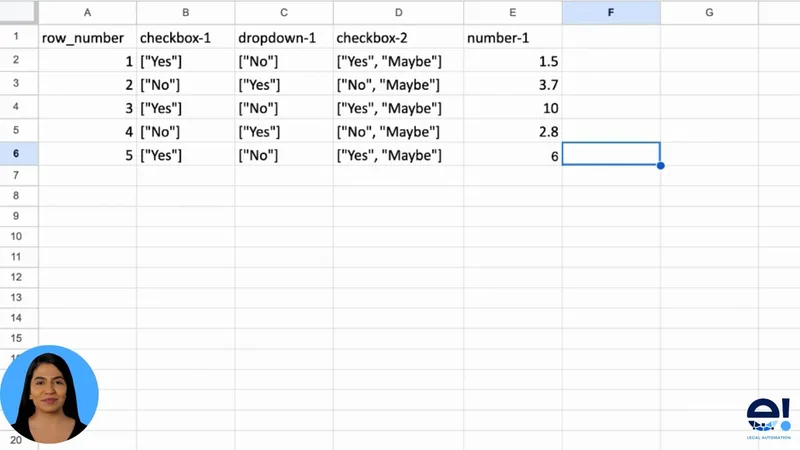
How to Format a CSV File for Legal AI Training in e!
Learn how to download, format, and upload a CSV file to train AI in your Legal Bot — covering column structure, value formatting, and common errors to avoid.
Data Management
-
See Data Page: View & Manage Client Bot Data in Lexemo e!
Use e!'s See Data page to visualise client bot inputs, customise data graphs and table columns, set access levels, and download generated documents.
Dashboard & Navigation
-
How to Generate Legal DOCX Files with a No-Code Bot
Use the Create DOCX node in e! to auto-generate styled Word documents in your Legal Bot — pick a template and control download access. No coding needed.
Workflow & Output
-
Send Email Node: Automate Legal Bot Email Delivery in e!
Automate email delivery in e! with the Send Email node — attach documents, insert bot variables, and choose between direct send or an Outlook .eml draft.
Workflow & Output
-
Approval Node Tutorial: Add Human Review to Legal Bots
Add an Approval node to your Legal Bot to enforce human review and four-eyes sign-off before processing. Ideal for contracts, compliance, and procurement.
Workflow & Output
-
Logical Condition Node: Route Legal Bots Based on User Input
Use the Logical Condition node in e! to branch Legal Bot workflows based on user input — set operators, variables, and multi-step decision paths.
Logic & Conditions
-
Node Connector: Merge Logic Paths in Your Legal Bot in e!
Use the Node Connector in e! to merge logic paths after a Yes/No split — and reposition nodes across the canvas. Essential for clean Legal Bot workflows.
Canvas & Getting Started
-
Build Reusable Text Templates for Legal Bot with Boilerplate
Learn how to use the Boilerplate node to create reusable text templates in your Legal Bot — insert them into documents, emails, or trigger them with conditions.
Canvas & Getting Started
-
How to Set Up a Date Input Node in a Legal Bot in e!
Add and configure a Date input node in your Legal Bot in e! — collect contract start dates, deadlines, and effective dates with ease. No coding needed.
Inputs
-
How to Set Up a Text Input Node in a Legal Bot in e!
Learn how to add a Text input node in e! — collect short text answers like names, companies, and titles, then use them in prompts, documents, and emails.
Inputs
-
How to Add a Multi-Line Text Input to a Legal Bot in e!
Learn how to add a Text Area node in e! to collect longer text inputs like case descriptions, clause drafts, and legal briefs from clients. No coding needed.
Inputs
-
How to Add an Email Input Field to a Legal Bot in e!
Add an Email input node to your Legal Bot in e! to collect addresses for automated sending, approvals, and NDA delivery. No coding needed.
Inputs
-
How to Set Up a Number Input Node in a Legal Bot in e!
Learn how to add a Number input node in e! — set field names, placeholders, default values, required toggle, and min/max range for precise numerical data entry.
Inputs
-
Annotation Node Tutorial: Add Context to Legal Bot Steps
Learn how to use the Annotation node in e! to add helpful context, instructions, or tooltips inside your Legal Bot — shown on hover or on click.
Canvas & Getting Started
-
Send & Result Node: Close Bots & Display Results in e!
Set up the Send & Result node in e! to save client inputs, show conditional result screens, and close every legal bot path with a custom send button.
Workflow & Output
-
Section Node: Structure & Organise Legal Bots in e!
Use the Section node in e! to divide your legal bot into named stages — structure complex workflows and guide clients through multi-part legal forms with ease.
Text & Structure
-
How to Structure Legal Bots with the Heading Node in e!
Learn how to add and size heading nodes in e! to give your Legal Bot clear section titles — improving user navigation and workflow structure in just 2 steps.
Text & Structure
-
Text Field Node: Show Results & Variables in e! Legal Bots
Use e!'s Text Field node to display AI outputs, risk results, and dynamic bot variables to clients — the go-to read-only display node for every legal bot.
Text & Structure
-
NDA Generator: Automate NDA Creation with No-Code in e!
Build an automated NDA generator in e! — handle company selection, optional clauses, DOCX & PDF output, and email delivery. No coding required.
Workflow & Output
-
How to Use the e! Dashboard to Manage Your Legal Bots
Learn how to use the e! Dashboard to manage bot options, view usage statistics, apply branding, duplicate bots, set UI language, and publish your Legal Bot.
Dashboard & Navigation
-
Left Menu Tutorial: Navigate the e! Legal Bot Dashboard
Navigate the e! Left Menu to access your bot library, Clause Manager, Account settings, and Consumer Dashboard — all from one intuitive panel.
Dashboard & Navigation
-
Top Menu: Search Bots, Switch Views & Access Account in e!
Learn to use the e! Top Menu — search bots by name, switch between Builder and Consumer mode, and access Account, Support, and Logout options.
Dashboard & Navigation
-
How to Generate Styled Legal PDF Files with a No-Code Bot
Use the Create PDF node in e! to auto-generate styled, downloadable PDFs in your Legal Bot — choose a template, control client access, and build your document.
Workflow & Output
-
Error Messages: Fix Legal Bot Errors & Warnings in e!
Learn how e! detects errors and warnings in your Legal Bot in real time — with canvas alerts, fix suggestions, and the difference between errors vs. warnings.
Dashboard & Navigation
No tutorials found
Try different search terms.