Build Reusable Text Templates for Legal Bot with Boilerplate
Learn how to use the Boilerplate node to create reusable text templates in your Legal Bot — insert them into documents, emails, or trigger them with conditions.
The Boilerplate Node is an Input Node designed to help you create reusable text templates within your Bot. These boilerplates can be integrated into documents, emails, or text fields, and serve as flexible variables for your Bot.
In this tutorial, we’ll show you how to set up and use a Boilerplate Node.
Step 1: Add the Boilerplate Node
Add a Boilerplate Node in your bot from the “+” menu.
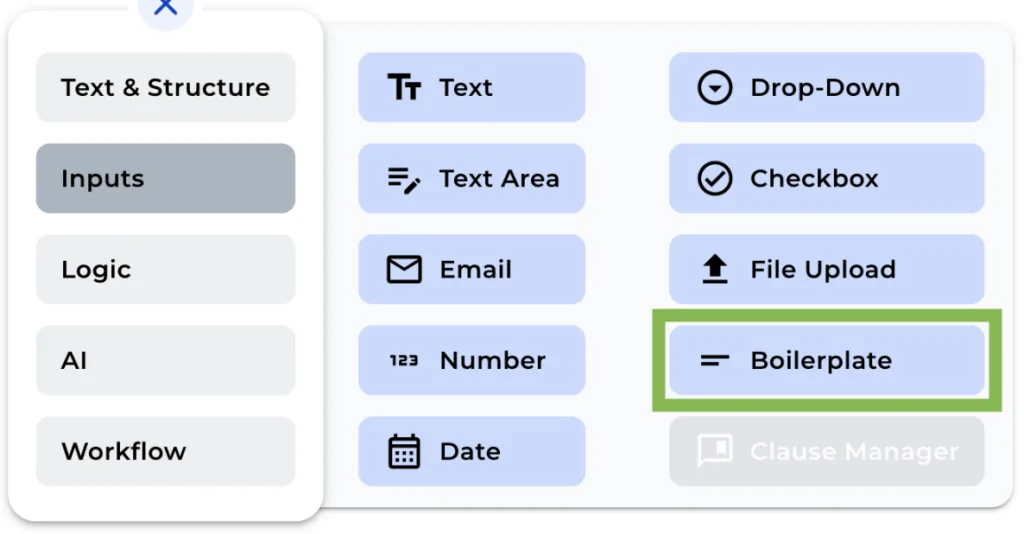
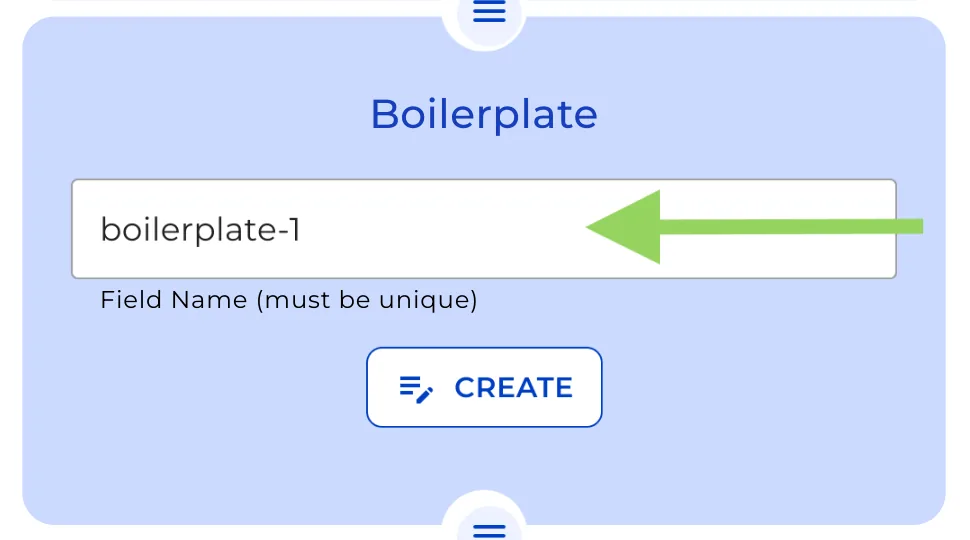
Step 2: Enter a Unique Field Name
Provide a unique field name for the Boilerplate, making it easier to identify when integrating it into various elements within the Legal Bot.
Step 3: Edit the Text in the Editor
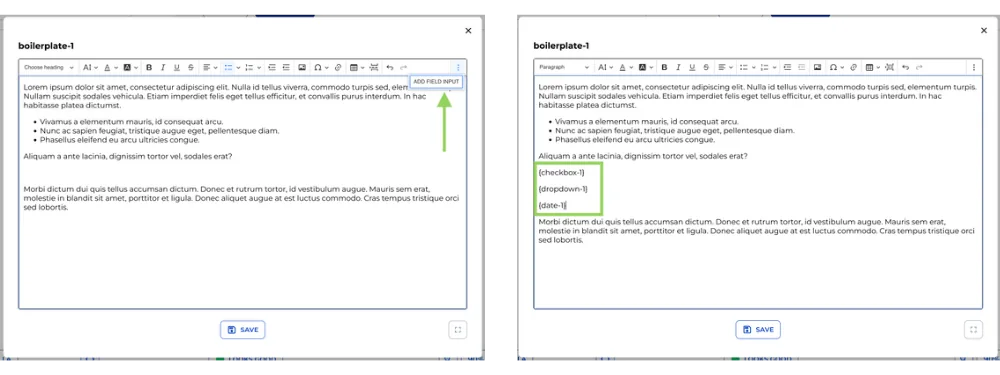
Click the button to edit the text in the editor. Here, you can format the text as desired and add other variables to be included in the Boilerplate.
That’s all there is to it! Boilerplates are particularly useful when combined with Logical Conditions, allowing for different Boilerplates to be triggered within the Legal Bot depending on the specified condition.
Remember to click on “Preview” in the top menu to see how your bot will appear to your clients. This helps in making any necessary adjustments before implementation.
We hope this tutorial helps you streamline your Legal Bot creation process with the Boilerplate Node. See you next time, and happy automating with e!