How to Generate Legal DOCX Files with a No-Code Bot
Use the Create DOCX node in e! to auto-generate styled Word documents in your Legal Bot — pick a template and control download access. No coding needed.
The Create DOCX Node is a powerful tool for process automation that allows users to create stunning word documents with ease. With the ability to define a field name for referencing within the Legal Bot, users can refer to the generated document within the Legal Bot. Additionally, users can specify the file name of the resulting word document in a separate field.
Step 1: Add the Create DOCX Node
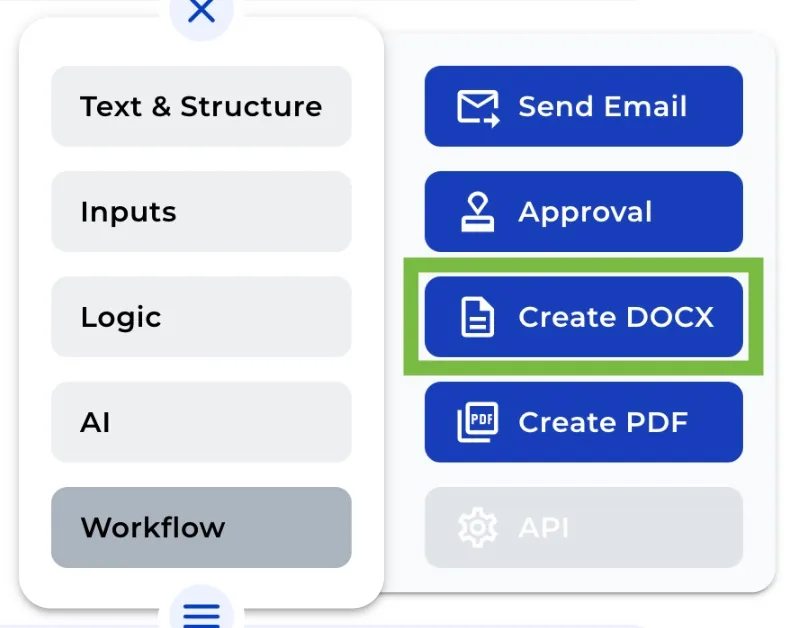
Add a Create DOCX Node from the the “+” menu or “burger menu” in your canvas. You can find this node under “Workflow” section.
Step 2: Name a Field for Referencing
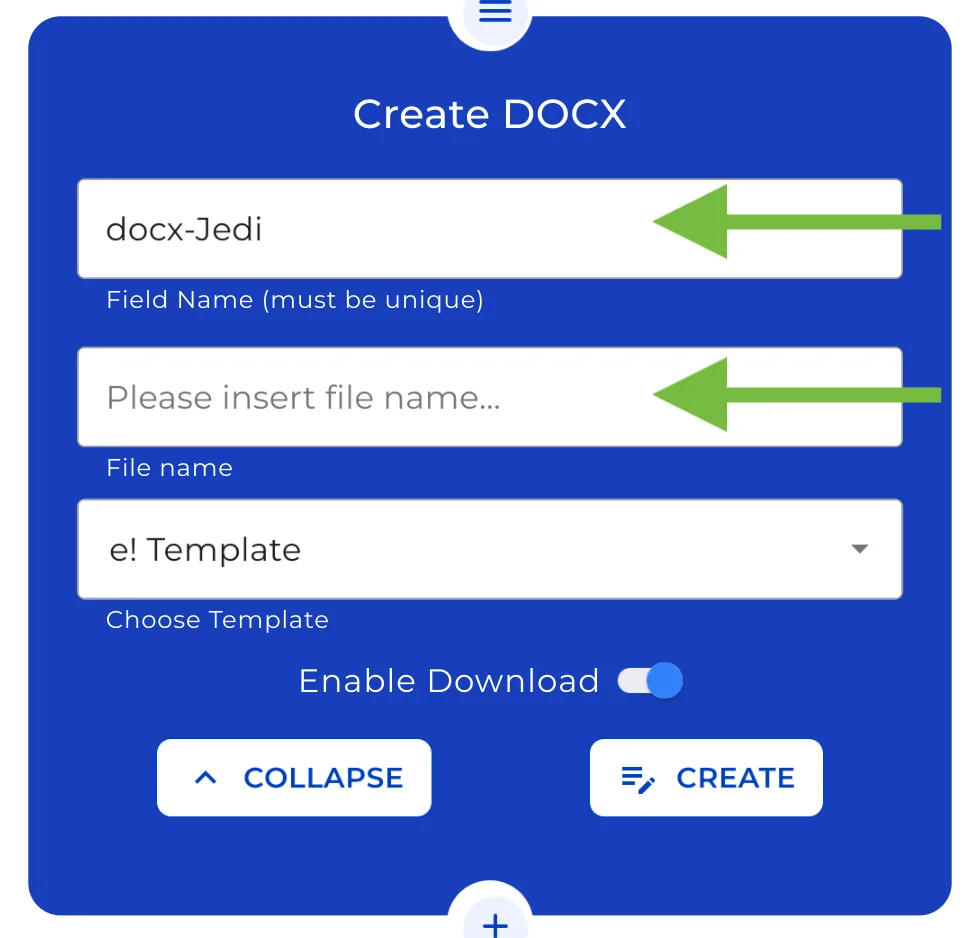
First, you must give it a name that will be used for internal reference in the Bot. Remember this name must be unique.
Step 3: Set the name of the resulting DOCX file
The resultant PDF’s file name should then be specified. Choose a moniker that is descriptive to make future recognition simple.
Step 4: Pick a style template
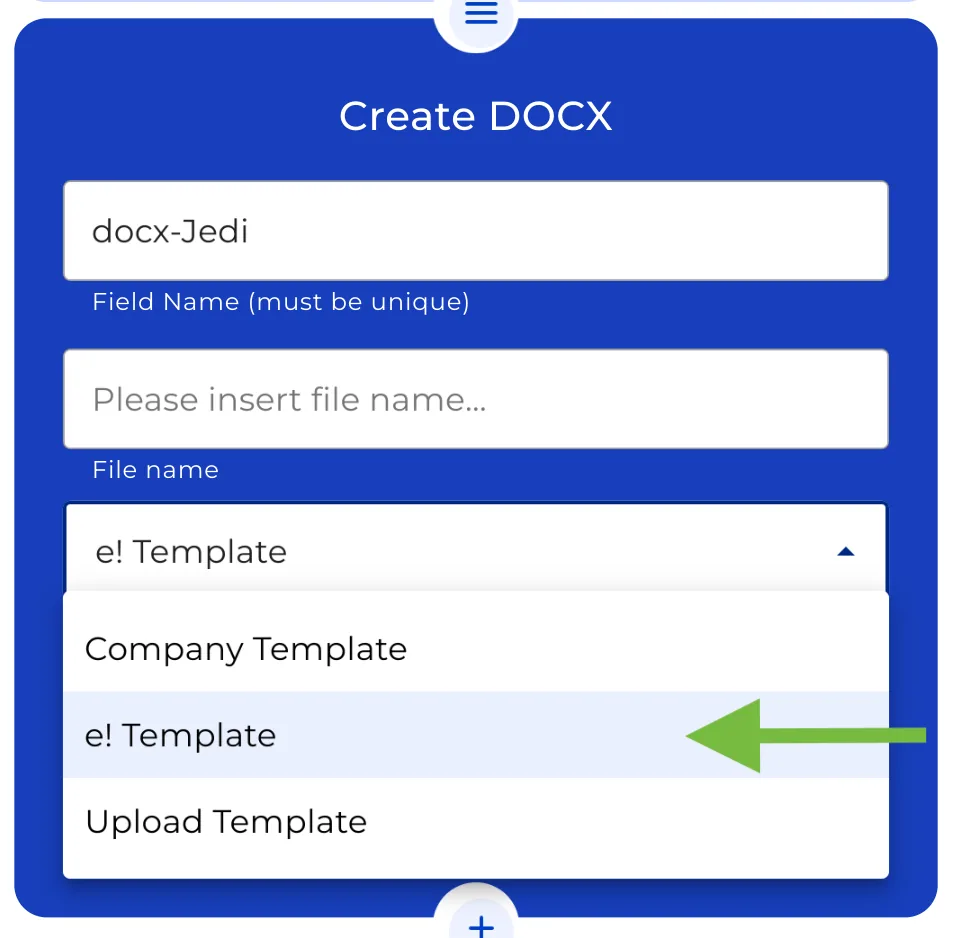
Choose the template you wish for your document. You can choose between: the standard business template, the standard e! template or even your own unique design can be uploaded. You have full power over the appearance of your DOCX file, so you can choose what you want.
Step 5: Choose the download options
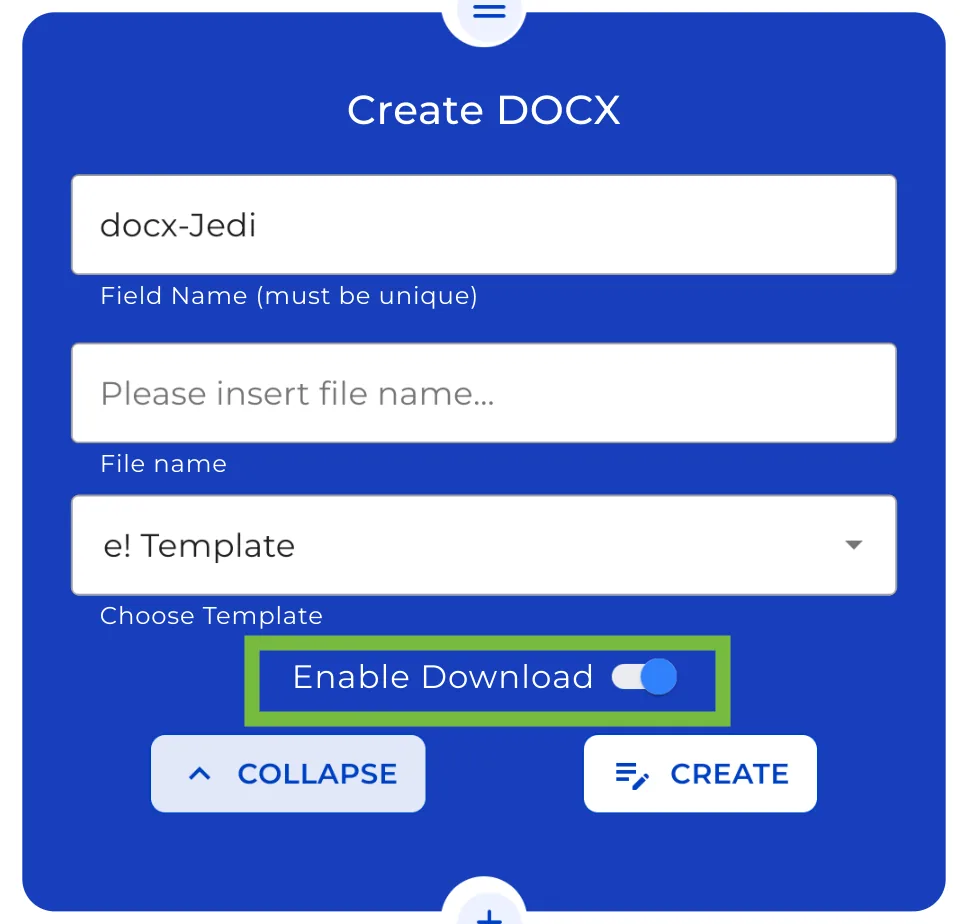
Simply enable this option on the node if you want your clients to be able to receive your DOCX file from the front end. Make sure your DOCX is disabled when you rather prefer to keep this file private.
Step 5: The creation process
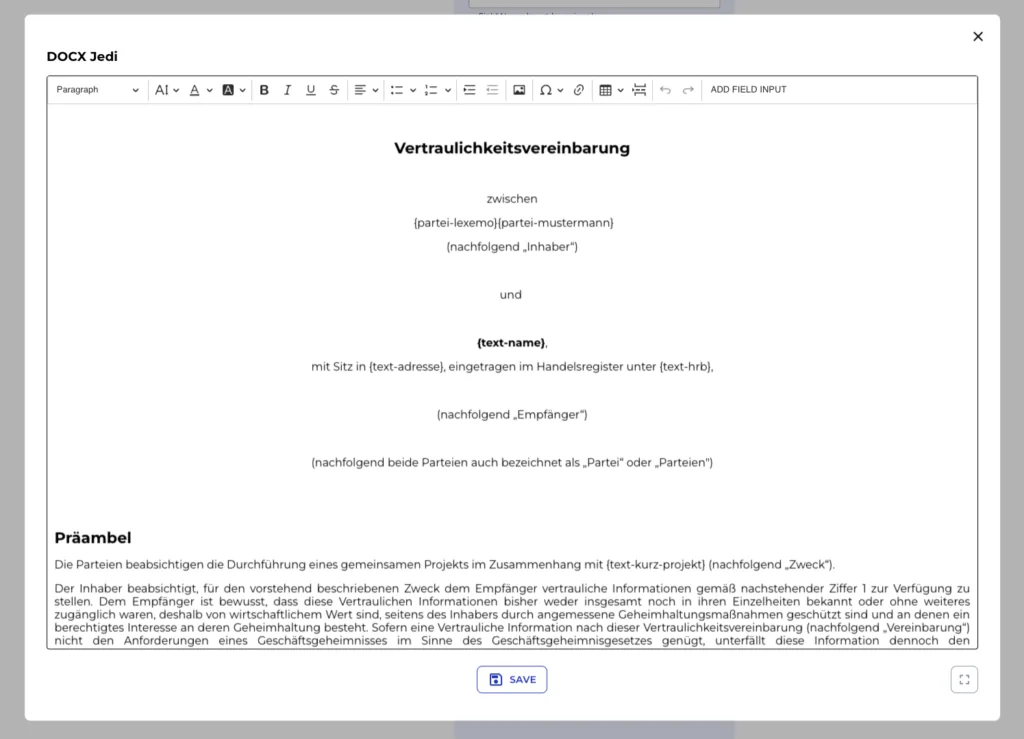
After making your choices, click over “Create” to start the magic. Now that the editor is at your disposal, you can create your document.
Overall, with its user-friendly interface and powerful features, the Create DOCX Node is an essential tool for anyone looking to streamline their workflow and produce high-quality word documents quickly and easily.